
How Toecan works.
Once you've installed the app, here's how to log in, what to expect, and what's different between iPhone and Android.
See Toecan in 60 seconds
The fastest way to know what to expect after install. Login, first trip, and where to find your score.
Watch on YouTubeReceive your login code by email
After your account has been created, you will receive a welcome email from Toecan that contains your personal login code — a short code made of 8 letters and numbers (for example PO38ASB6).
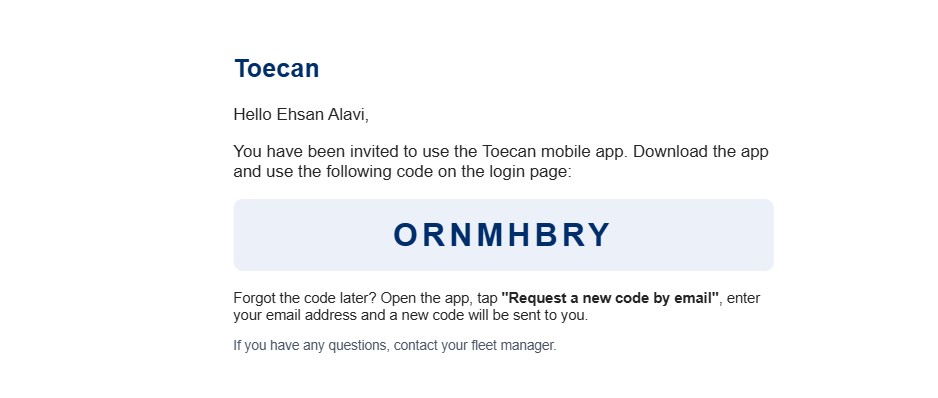
no-reply@toecan.tech.Log in to the app
Open the Toecan app you installed. You'll see this welcome screen:
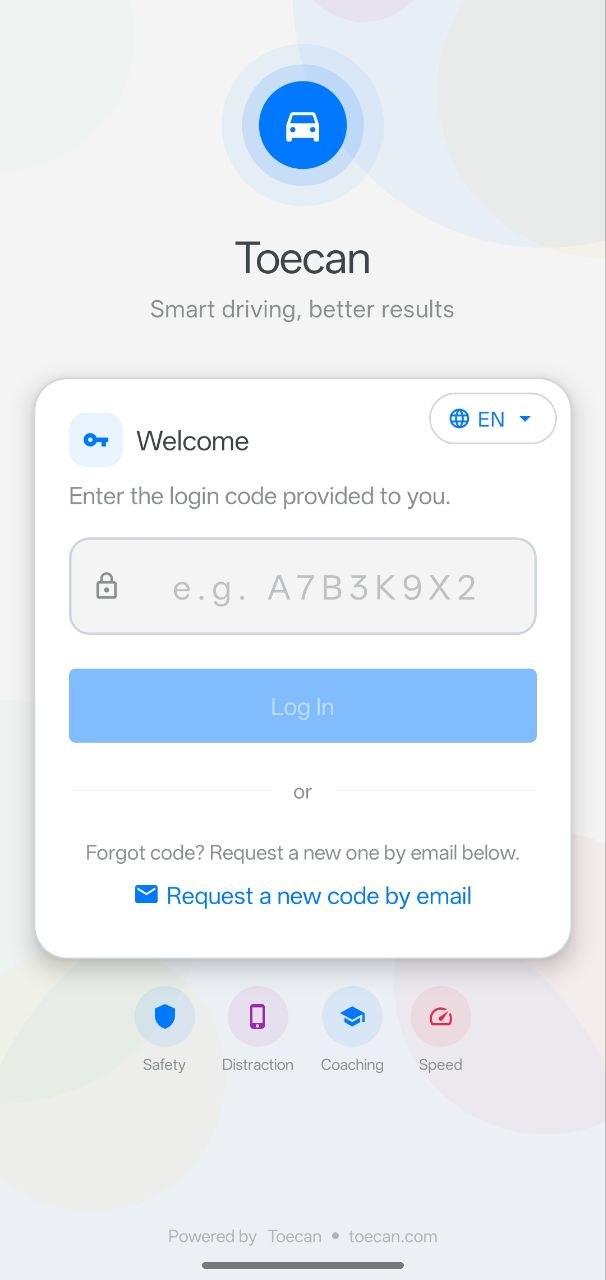
- Type the 8-character code from your email into the input field.
- Tap Log In.
Forgot your code?
If you ever lose your code or it doesn't work, tap Request a new code by email on the login screen. Type your email address and a new code will be sent to your inbox.
Allow the required permissions
After logging in, the app will ask you to approve several permissions. Please approve all of them — they are required for Toecan to record your trips correctly:
- Location (Always) — detects when you start and stop driving, even when the app is in the background.
- Motion & Fitness (iPhone) or Physical activity (Android) — distinguishes driving from walking or cycling.
- Notifications — used to send you weekly trip reminders and coaching tips.
- Bluetooth (optional but recommended) — improves automatic trip detection.
Notifications you can expect
Toecan only sends a small number of notifications. Here is what to expect:
| When | What you will see | What to do |
|---|---|---|
| Saturday morning | "Please confirm your trips from this week" | Tap the notification. Review the trips and mark any that were not as a driver (e.g. passenger, train, bike). |
| Occasionally during the week | "New coaching tip available" | Tap to open a personalized driving advice based on your recent trips. |
| One-off, after a trip | Reminder asking to confirm a specific trip's mode (driver / passenger / public transport) | Tap and choose the correct travel mode so your driving score stays accurate. |
iPhone vs Android
The app itself works the same on both platforms. The only differences are how you install and update it:
| Topic | iPhone | Android |
|---|---|---|
| Install from | App Store | Google Play |
| Updates | The App Store updates Toecan automatically when a new version is available | Google Play updates Toecan automatically when a new version is available |
| Battery saver | No extra steps required | You may be asked to allow Toecan to run in the background (disable battery optimization) — accept this so trips can be recorded |
| Recording behavior | Identical | Identical |
Need help?
- App is not recording any trips? Open the app menu → Diagnostics. It shows which permission or setting still needs your attention.
- Lost your code? Tap Request a new code by email on the login screen.
- Anything else? Email us at support@toecan.com or contact your fleet manager.
Haven't installed the app yet?
Head back to the install page to get the link for your phone.
Install Toecan